
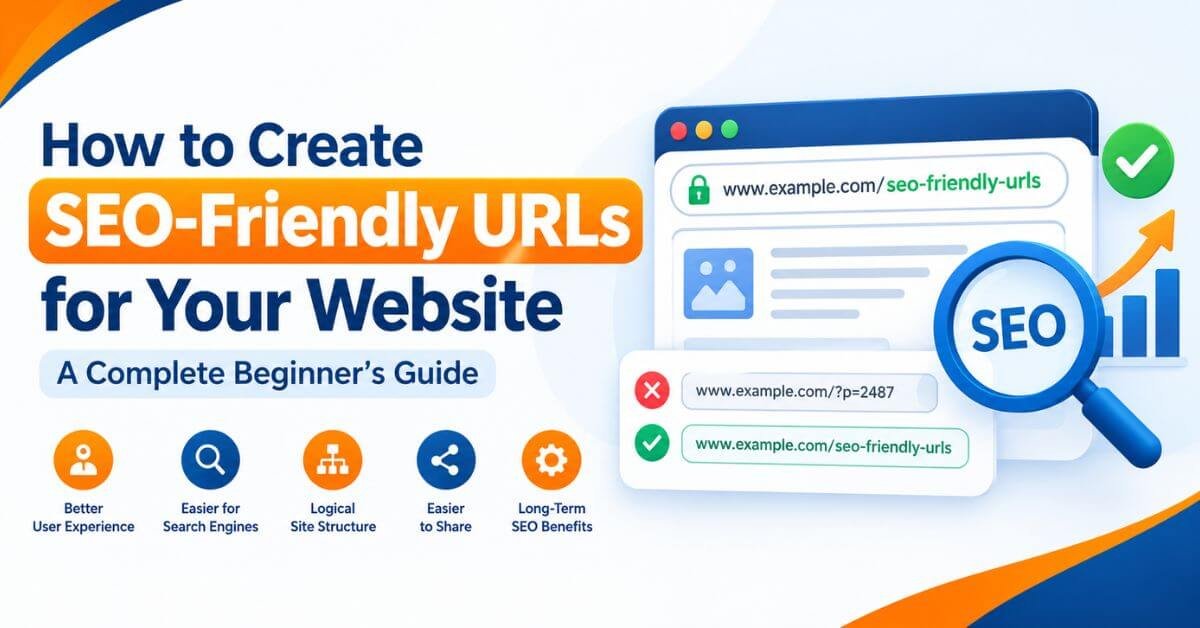

How to Create SEO-Friendly URLs for Your Website: A Complete Beginner’s Guide
A well-structured website URL helps users understand what a page is about before they even open it. SEO-friendly URLs are an important part of website optimization because they make web addresses easier to read, share, manage, and understand.
If you are learning SEO, building a WordPress website, or managing a business website, understanding how to create SEO-friendly URLs can help you develop a better website structure. A clear URL structure also supports website navigation and helps search engines understand the relationships between your pages.
With 19 years of real-market digital marketing experience, I have learned that effective SEO is not about changing small technical elements randomly. It is about building a website that provides a clear experience for users while following search engine best practices.
In this guide, you will learn what SEO-friendly URLs are, why they matter, how to create them step by step, and how to optimize URLs for WordPress websites without making common SEO mistakes.
What Is an SEO-Friendly URL?
An SEO-friendly URL is a web address that is simple, descriptive, readable, and relevant to the content of a particular page. It helps visitors understand the purpose of a page and gives search engines useful context about its content.
For example, imagine you publish an article explaining on-page SEO techniques.
A descriptive URL would be:
https://example.com/on-page-seo-techniques/
A less descriptive URL would be:
https://example.com/?p=2487
The first URL tells users what to expect from the page. The second contains a technical identifier that provides little information about the topic.
Google recommends using simple, descriptive URLs and organizing website content logically. However, an SEO-friendly URL alone cannot guarantee higher rankings. Your content quality, relevance, internal linking, technical accessibility, and overall user experience also matter.
Why Are SEO-Friendly URLs Important?
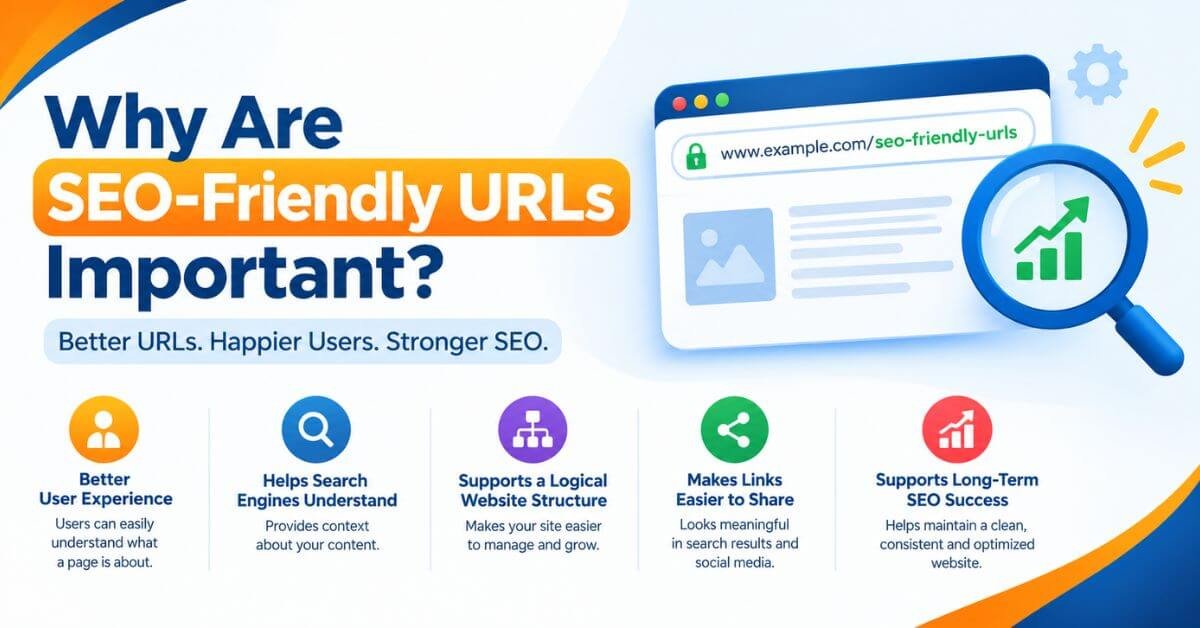
Creating SEO-friendly URLs is a useful part of a website's on-page and technical SEO strategy. Here are five important benefits.
1. They Improve User Experience
A clear URL makes it easier for visitors to understand what a page contains. When users see a relevant web address in search results, social media posts, or shared links, they can get an idea of the page's topic.
For example:
https://example.com/keyword-research-guide/
This URL is easier to understand than a long address containing random numbers and unnecessary parameters.
2. They Help Search Engines Understand Your Content
Descriptive URL words provide additional context about a page. Search engines can use this information alongside page content, internal links, headings, and other signals to understand the website.
For example, a URL containing technical-seo-audit clearly indicates the subject of the page.
Remember that URL keywords are only one small part of a broader SEO strategy. Adding keywords to a URL does not automatically improve its ranking.
3. They Support a Logical Website Structure
A website with well-organized URLs is easier to manage as it grows.
For example, a digital marketing academy could organize educational content using structures such as:
/seo/keyword-research//seo/on-page-seo//seo/technical-seo//google-analytics/
The structure should reflect the website's actual content organization. Avoid creating unnecessary folder levels simply to insert more keywords.
Descriptive URLs look more meaningful when shared through WhatsApp, email, social media, or other communication channels.
For example, a link ending in /seo-friendly-urls/ "immediately" communicates the topic to someone receiving it.
This can improve clarity and trust, although it does not guarantee additional clicks.
5. They Help Maintain Consistent Website Optimization
A consistent URL naming system makes it easier to publish new content, maintain internal links, audit website pages, and manage redirects when necessary.
For websites publishing multiple blog posts every month, establishing URL rules early can prevent unnecessary technical work later.
10 Best Practices for Creating SEO-Friendly URLs
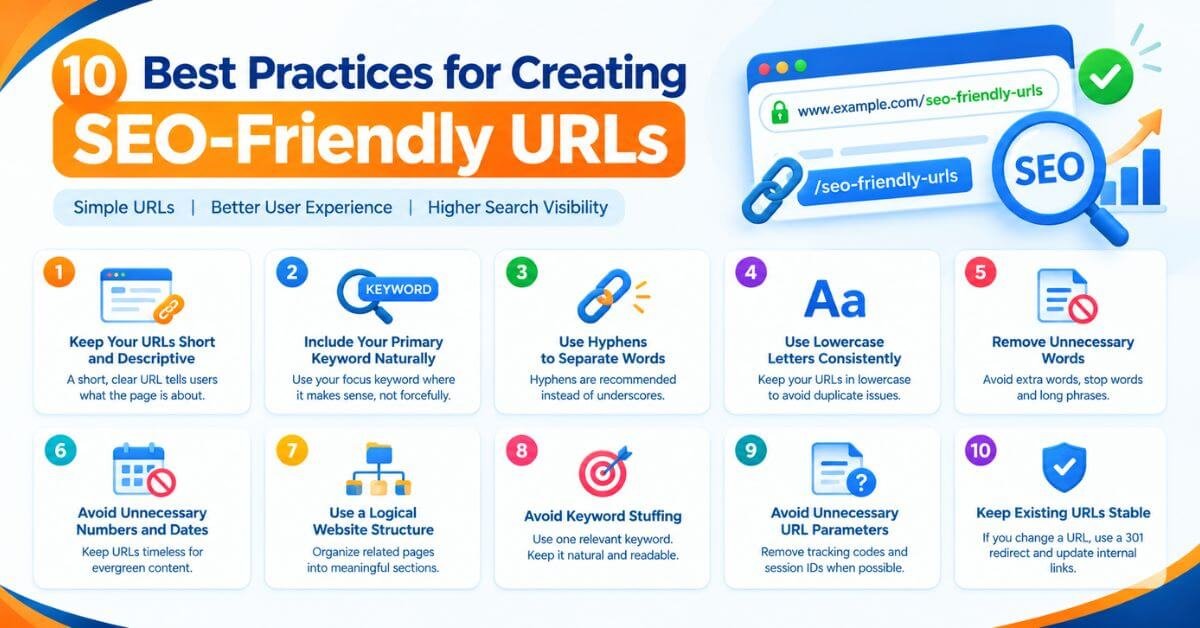
Follow these practical SEO-friendly URL best practices whenever you publish a new page or blog post.
1. Keep Your URLs Short and Descriptive
A URL should communicate the page's main topic without including every word from the page title.
For example:
Recommended: https://example.com/seo-friendly-urls/
Avoid: https://example.com/how-to-create-the-best-seo-friendly-urls-for-your-website-in-2026/
The longer version is not automatically harmful, but it contains unnecessary words for this particular topic.
There is no universal ideal URL length that guarantees better rankings. Focus on clarity, relevance, and simplicity rather than following an arbitrary character limit.
2. Include Your Primary Keyword Naturally
When relevant, include the primary keyword in the URL slug.
For this article, the primary keyword is SEO-friendly URLs.
A suitable slug is:
seo-friendly-urls
The complete URL could be:
https://www.kishordigital.com/seo-friendly-urls/
Use the keyword naturally. Avoid repeating the same keyword multiple times or adding unrelated search terms.
3. Use Hyphens to Separate Words
Google recommends using hyphens (-) rather than underscores (_) to separate words in URL paths.
For example:
Recommended: /keyword-research-guide/
Avoid: /keyword_research_guide/
Hyphens make individual words easier to identify and help keep URLs consistent with common web conventions.
4. Use Lowercase Letters Consistently
Website paths can be case-sensitive, depending on the server configuration. For example, /SEO-Guide/ and /seo-guide/ can be treated as different URLs.
Using lowercase letters consistently reduces the risk of creating unintended URL variations.
Recommended: /technical-seo-guide/
Avoid: /Technical-SEO-Guide/
If your website already has URLs using different capitalization, check how your server handles them before making changes.
5. Remove Unnecessary Words
You do not need to include every connecting word in a URL.
For example:
Longer: /how-to-create-seo-friendly-urls-for-your-website/
Shorter: /seo-friendly-urls/
The shorter option communicates the topic clearly and is easier to remember.
However, do not remove words if doing so makes the URL confusing or changes its meaning.
6. Avoid Unnecessary Numbers and Dates
For evergreen educational content, avoid adding dates or random numbers unless they are important to the page.
For example:
/seo-friendly-urls/
is generally more suitable for a timeless guide than:
/seo-friendly-urls-2026-10-17/
A date can be appropriate for genuinely date-specific content, such as an annual report or a dated event page. The goal is to choose a URL that accurately reflects the page.
7. Use a Logical Website Structure
Organize related pages into meaningful sections where this helps users navigate the website.
For example:
/seo/keyword-research//seo/on-page-seo//seo/technical-seo/
A logical hierarchy can make website architecture easier to understand.
However, you do not need to add a category folder to every URL. A flat structure such as /keyword-research/ can also work well when it suits your website.
8. Avoid Keyword Stuffing
Keyword stuffing means adding the same keyword repeatedly in an unnatural way.
For example:
/seo-friendly-urls-best-seo-friendly-url-seo-guide/
This is unnecessarily repetitive and difficult to read.
Instead, use a concise slug such as:
/seo-friendly-urls/
One relevant phrase is enough. Write URLs for people first.
9. Avoid Unnecessary URL Parameters
Some URLs contain tracking codes, session identifiers, or sorting parameters that do not change the main content.
For example:
https://example.com/seo-guide/?session=83921&tracking=abc123
For a normal blog post, a clean URL such as /seo-guide/ is easier to share and manage.
However, parameters are sometimes necessary for search filters, analytics, product variations, or other website functionality. Do not remove parameters blindly if doing so breaks the page or changes its intended behavior.
10. Keep Existing URLs Stable
Once a page has been published, indexed, linked to, and visited, avoid changing its URL without a clear reason.
Changing an established URL can affect existing links, bookmarks, analytics continuity, and search engine signals if the migration is not handled properly.
If you must change a URL, set up an appropriate permanent redirect, usually a server-side 301 redirect, from the old address to the most relevant new address. Update internal links and other references where practical, and check the new URL for indexing issues.
How to Create SEO-Friendly URLs in WordPress: Step-by-Step Guide
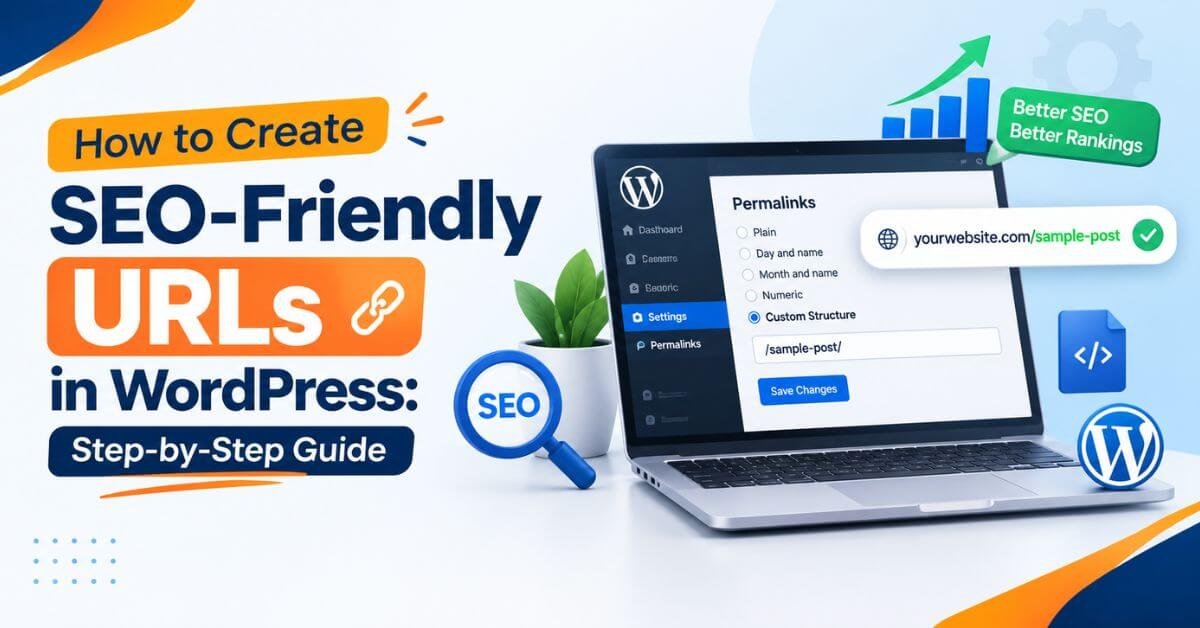
WordPress makes it relatively easy to create descriptive URLs. Follow these steps when publishing a new blog post on your website.
Step 1: Open Your WordPress Dashboard
Log in to your WordPress admin area.
Open Posts → Add New Post to create a new blog article, or open an existing draft that you want to optimize.
Step 2: Choose Your Focus Keyword
Before creating the URL, identify the primary keyword for your article.
For example:
Blog topic: How to Create SEO-Friendly URLs for Your Website
Primary keyword: SEO-friendly URLs
Supporting keywords: SEO-friendly URL structure, URL optimization, WordPress URL settings, URL slug best practices
Your slug should communicate the article's main subject rather than include every supporting keyword.
Step 3: Create a Clean URL Slug
In the WordPress editor, enter your blog title and locate the URL or permalink setting. Depending on your editor version, you may need to open the post settings or click the URL shown below the title.
Set the slug to:
seo-friendly-urls
Your final URL might look like:
https://www.kishordigital.com/seo-friendly-urls/
WordPress will use your site's configured permalink structure to construct the full address.
Step 4: Check Your Permalink Settings
If you are configuring a new WordPress website, open:
Settings → Permalinks
For a typical blog website, the Post name option is a straightforward choice because it produces descriptive URLs.
Before changing this setting on an established website, review the existing URL structure. Changing permalink settings can affect many pages and may require redirects.
Step 5: Review Your URL in Rank Math SEO
If you use Rank Math, open the post's SEO settings and check the page title, meta description, and focus keyword.
Use the following approach:
Focus keyword: SEO-friendly URLs
URL slug:
seo-friendly-urlsSEO title: How to Create SEO-Friendly URLs for Your Website
Meta description: Learn how to create SEO-friendly URLs with practical examples, WordPress settings, URL structure tips, and common SEO mistakes to avoid.
Use the focus keyword where it fits naturally. Rank Math's recommendations are useful checks, but satisfying every plugin indicator is not a substitute for good SEO.
Step 6: Preview and Publish Your Article
Before publishing, check that:
The slug accurately describes the article.
The URL uses readable words and hyphens.
There are no unnecessary parameters or repeated keywords.
The page is accessible and its internal links work.
The URL matches your intended canonical version.
After publishing, inspect the live page. If the article is important to your SEO strategy, you can use Google Search Console's URL Inspection tool to check its indexing status.
Remember that requesting indexing does not guarantee immediate indexing or ranking.
Common SEO-Friendly URL Mistakes to Avoid
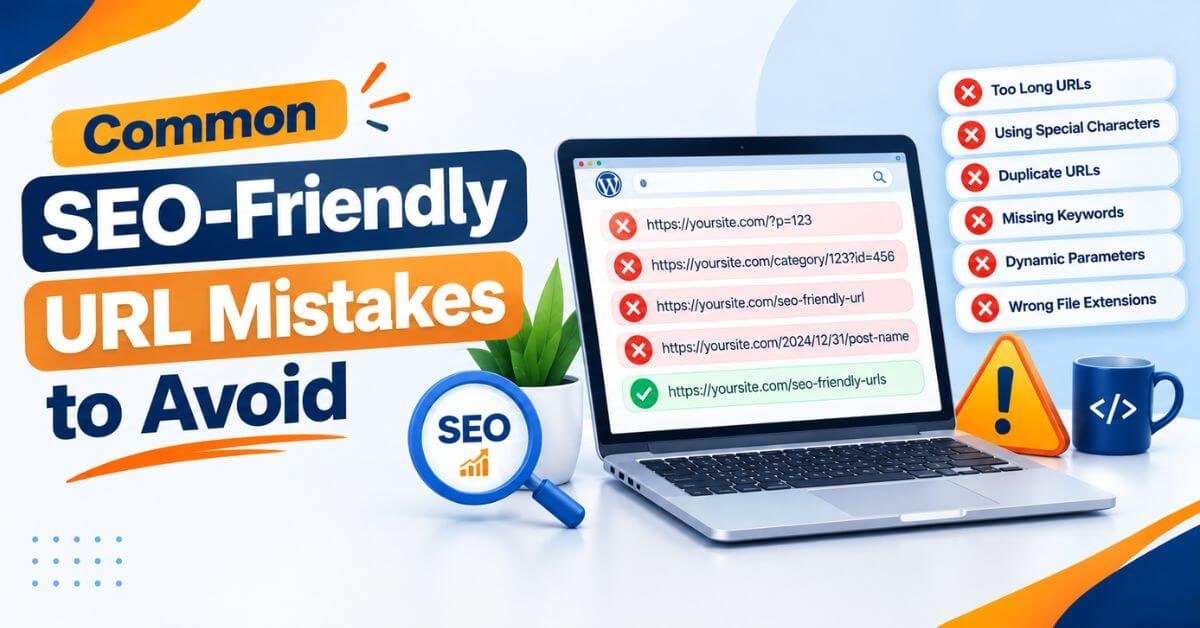
Even experienced website owners can create URL problems when publishing content quickly.
Using the Entire Blog Title as the URL
A blog title may contain extra descriptive words that are unnecessary in the slug. Shorten the URL while retaining its meaning.
Changing URLs Without Redirects
If an existing page's address changes, visitors and search engines may still encounter the old URL. Use a suitable redirect to preserve access and direct users to the correct replacement.
Creating Multiple URLs for the Same Content
Duplicate URL variations can make it harder for search engines to determine which version should appear in results. Use consistent internal linking, redirects where appropriate, and canonical tags when needed.
Adding Keywords That Do Not Match the Content
A URL should describe the actual page. Adding popular but unrelated keywords creates a misleading experience and does not make the page more useful.
Assuming a Good URL Guarantees Rankings
SEO-friendly URLs are a supporting optimization, not a shortcut to the top of Google. Search visibility depends on many factors, including helpful content, relevance, technical accessibility, and the overall quality of your website.
How to Optimize URLs for AI Search, AEO, and GEO
Modern search optimization includes more than traditional blue links. People may discover content through AI-powered search experiences, answer engines, and generative search tools.
A clean URL can support a well-organized website, but it does not independently make content eligible for AI citations or guarantee visibility in AI-generated answers.
Use these practices as part of a broader content strategy.
Write URLs That Clearly Describe the Topic
A slug such as /technical-seo-audit/ gives readers a clear indication of the page's subject. It also supports a consistent naming system across related articles.
Match URLs With Useful, Focused Content
If your URL describes keyword research, the page should provide meaningful information about keyword research. Avoid misleading slugs or pages created solely to target variations of the same keyword.
Build Logical Topic Clusters
Connect related articles through relevant internal links. For example, a guide about SEO-friendly URLs could link to articles about technical SEO, on-page SEO, keyword research, and Google Search Console.
These connections help users discover related information and help search engines understand how your content fits together.
Prioritize Clear Answers and Real Experience
For AEO and GEO, create content that answers specific questions accurately, uses meaningful headings, provides practical examples, and demonstrates real expertise.
For KishorDigital Academy, practical WordPress demonstrations and experience-based explanations can make educational content more useful than generic advice alone.
SEO-Friendly URL Checklist
Before publishing a new page, use this checklist to review its URL.
Final Thoughts
Creating SEO-friendly URLs is a simple but valuable step in building a well-organized website. Choose descriptive slugs, use hyphens, keep your structure consistent, avoid keyword stuffing, and protect existing URLs when making changes.
If you are learning website optimization, start by applying these principles to every new blog post you publish. Over time, consistent URL practices can make your website easier to navigate, maintain, and optimize.
At KishorDigital Academy, the goal is to learn digital marketing through practical implementation, real-world examples, and experience-based guidance. Apply these URL optimization techniques alongside keyword research, on-page SEO, technical SEO, and useful content to build a stronger website.
Want to learn SEO and digital marketing practically? Visit www.kishordigital.com to explore Kishor Digital Academy.
Contact: +91 78078 44500
Whether you need more leads, better online visibility or a complete digital marketing solution, our team is here to understand your goals and suggest the right approach for your business. Get in touch with KishorDigital today and let’s turn your digital goals into measurable results.
Frequently Asked Questions About SEO-Friendly URLs
An SEO-friendly URL is a clear, descriptive web address that helps users understand the page's topic and supports a logical website structure. It typically uses readable words, hyphens, and a relevant slug.
There is no fixed URL length that guarantees better rankings. Keep your URL as short as practical while making its purpose clear. Avoid unnecessary words, repeated keywords, and irrelevant parameters.
You can include your primary keyword when it accurately describes the page. However, keyword inclusion alone does not guarantee better rankings. Relevance and readability are more important than repeating a keyword.
Hyphens are generally recommended for separating words in URLs. Google specifically recommends hyphens rather than underscores because they make word boundaries easier to recognize.
Open the post or page in the WordPress editor, locate its URL or permalink setting, and edit the slug. If the page already has an established URL, create an appropriate redirect from the old address and update internal links before considering the change complete.
Descriptive URLs help communicate a page's topic and support a sensible site structure. However, they are only one part of SEO and do not guarantee higher rankings.
Use dates when they are important to the content, such as a dated event or annual report. For evergreen guides, a date-free URL is often easier to maintain when the article is updated.
Yes, but you should plan the change carefully. Use a permanent redirect when appropriate, update internal links, and monitor the new URL in Google Search Console. Search engines may need time to process the change.