
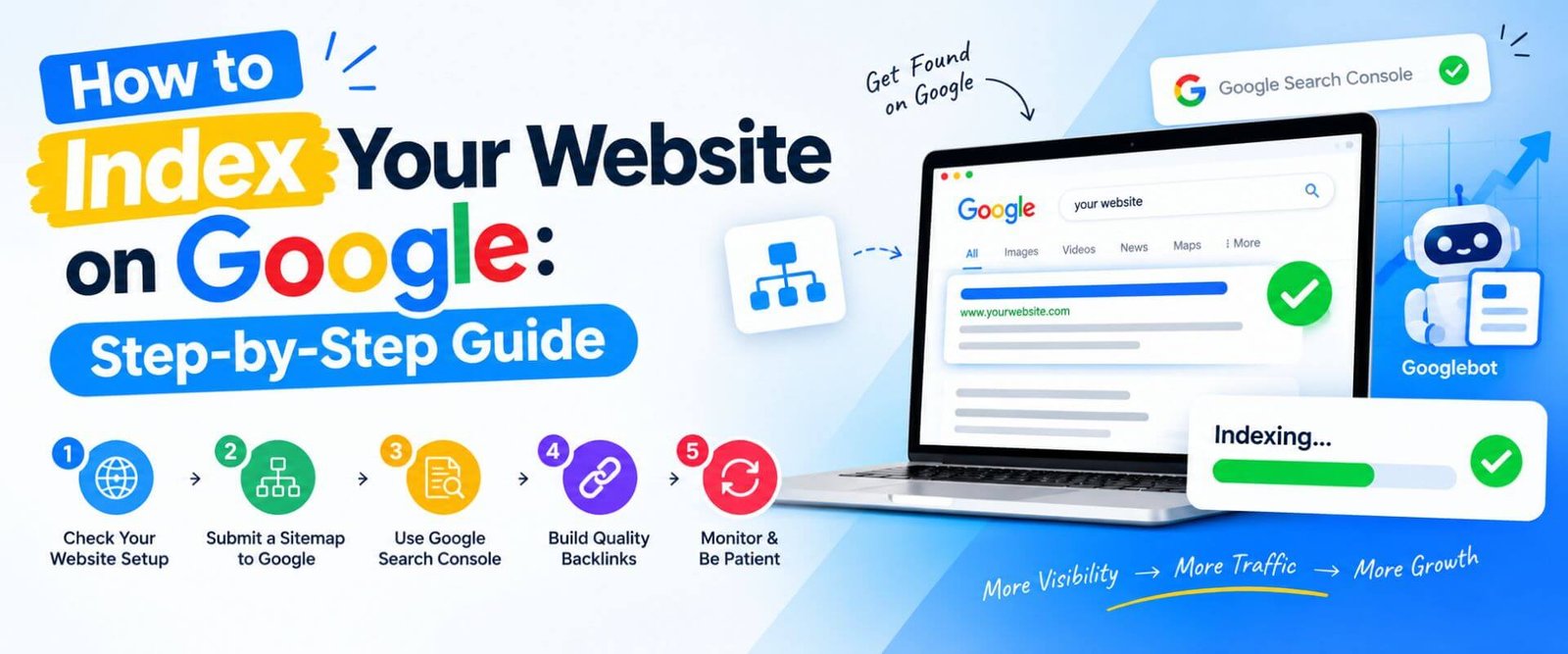

How to Index Your Website on Google: Step-by-Step Guide
If you have recently launched a website or published new pages, one of the first things you probably want to know is how to index your website on Google. Getting your website indexed is an important step because Google needs to discover, crawl, and store your pages before they can appear in its search results.
The good news is that you usually do not need to manually submit every page to Google. Google can discover pages through links, XML sitemaps, and other signals. However, there are several practical steps you can take to help Google find your website and understand which pages should be indexed.
In this guide, we will explain how to index your website on Google step by step, including Google Search Console setup, XML sitemap submission, URL inspection, indexing problems, robots.txt, noindex tags, internal links, and common mistakes that can prevent your pages from appearing in Google Search.
The good news is that you usually do not need to manually submit every page to Google. Google can discover pages through links, XML sitemaps, and other signals. However, there are several practical steps you can take to help Google find your website and understand which pages should be indexed.
In this guide, we will explain how to index your website on Google step by step, including Google Search Console setup, XML sitemap submission, URL inspection, indexing problems, robots.txt, noindex tags, internal links, and common mistakes that can prevent your pages from appearing in Google Search.
What Does Google Indexing Mean and How Does It Work?
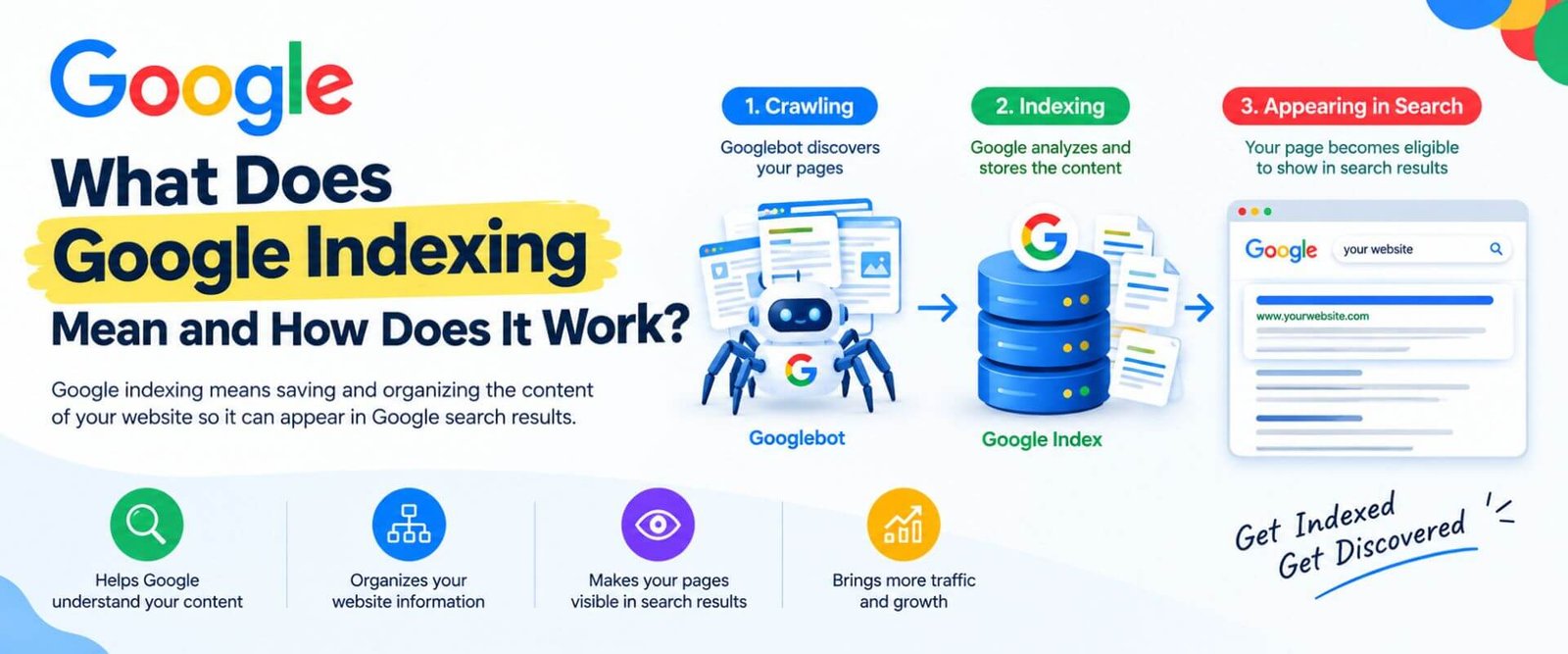
Understanding how to index your website on Google starts with knowing what indexing actually means. When Google discovers a webpage, it first crawls the URL and analyses its content, links, images, technical signals, and other information. If Google considers the page suitable for its index and there are no technical restrictions, the page may be added to Google's index.
Google generally works through three related stages: crawling, indexing, and serving search results. Crawling means Google discovers and visits a URL. Indexing means Google processes and stores information about that page. Ranking happens later when Google decides which indexed pages are relevant for a particular search query.
This means that simply publishing a webpage does not guarantee that it will immediately appear in Google. A website can be technically accessible but still have pages that are not indexed because of quality, duplication, crawl, or indexing issues.
Google generally works through three related stages: crawling, indexing, and serving search results. Crawling means Google discovers and visits a URL. Indexing means Google processes and stores information about that page. Ranking happens later when Google decides which indexed pages are relevant for a particular search query.
This means that simply publishing a webpage does not guarantee that it will immediately appear in Google. A website can be technically accessible but still have pages that are not indexed because of quality, duplication, crawl, or indexing issues.
Step 1: Make Sure Your Website Is Accessible to Google
Before learning how to index your website on Google, first make sure Google can actually access your website. Open your website in an incognito browser window and check whether the pages load correctly without requiring a login or special permission.
Your website should have a working domain, valid hosting, and pages that return a normal HTTP 200 status where appropriate. If your website frequently shows server errors, redirects incorrectly, or blocks important resources, Google may have difficulty crawling it.
Also check your website on mobile devices. A page that works on desktop but has serious mobile usability or rendering problems can create additional issues.
If your website is protected by a maintenance mode, password, firewall rule, or accidental server restriction, Google may not be able to crawl it properly. Fix these basic accessibility problems before requesting indexing.
Your website should have a working domain, valid hosting, and pages that return a normal HTTP 200 status where appropriate. If your website frequently shows server errors, redirects incorrectly, or blocks important resources, Google may have difficulty crawling it.
Also check your website on mobile devices. A page that works on desktop but has serious mobile usability or rendering problems can create additional issues.
If your website is protected by a maintenance mode, password, firewall rule, or accidental server restriction, Google may not be able to crawl it properly. Fix these basic accessibility problems before requesting indexing.
Step 2: Set Up Google Search Console for Your Website
One of the most useful tools for understanding how to index your website on Google is Google Search Console. It is Google's own platform for monitoring how your website performs in Google Search and identifying crawling and indexing problems.
Start by adding your website as a property in Google Search Console. Depending on your setup, you can use a Domain property or a URL-prefix property. Domain verification generally provides broader visibility across protocols and subdomains.
After verification, allow Search Console some time to collect data. You can then use reports such as Pages, Sitemaps, and URL Inspection to understand whether Google has discovered and indexed your URLs.
Search Console is especially useful because it can tell you whether a particular URL is indexed, not indexed, or affected by a specific technical issue.
Start by adding your website as a property in Google Search Console. Depending on your setup, you can use a Domain property or a URL-prefix property. Domain verification generally provides broader visibility across protocols and subdomains.
After verification, allow Search Console some time to collect data. You can then use reports such as Pages, Sitemaps, and URL Inspection to understand whether Google has discovered and indexed your URLs.
Search Console is especially useful because it can tell you whether a particular URL is indexed, not indexed, or affected by a specific technical issue.
Step 3: Create an XML Sitemap
An XML sitemap is one of the most important steps when learning how to index your website on Google. A sitemap provides Google with a list of URLs that you consider important and want search engines to discover.
Most modern WordPress SEO plugins can automatically generate an XML sitemap. Depending on your setup, your sitemap may be available at a URL such as:
or through another sitemap structure generated by your SEO plugin.
The sitemap should contain your important canonical URLs. Avoid unnecessarily including pages such as duplicate URLs, thin utility pages, or URLs that you have intentionally marked as noindex.
Remember that a sitemap is a discovery signal, not a guarantee of indexing. Google can receive a URL from your sitemap and still decide not to index it.
Most modern WordPress SEO plugins can automatically generate an XML sitemap. Depending on your setup, your sitemap may be available at a URL such as:
https://www.example.com/sitemap.xmlor through another sitemap structure generated by your SEO plugin.
The sitemap should contain your important canonical URLs. Avoid unnecessarily including pages such as duplicate URLs, thin utility pages, or URLs that you have intentionally marked as noindex.
Remember that a sitemap is a discovery signal, not a guarantee of indexing. Google can receive a URL from your sitemap and still decide not to index it.
Step 4: Submit Your Sitemap in Google Search Console
Once your XML sitemap is ready, submit it through Google Search Console. Open the Sitemaps section, enter the sitemap path, and submit it.
After submission, Search Console can show whether Google has successfully processed the sitemap and how many URLs it has discovered from it.
This is an important part of how to index your website on Google because it gives Google a clear list of URLs that your website considers important.
If you update your website regularly, you normally do not need to submit the sitemap every time you publish a new article. A properly configured sitemap should update automatically, allowing Google to discover new URLs during future crawls.
After submission, Search Console can show whether Google has successfully processed the sitemap and how many URLs it has discovered from it.
This is an important part of how to index your website on Google because it gives Google a clear list of URLs that your website considers important.
If you update your website regularly, you normally do not need to submit the sitemap every time you publish a new article. A properly configured sitemap should update automatically, allowing Google to discover new URLs during future crawls.
Step 5: Use URL Inspection for Important Pages
Once your XML sitemap is ready, submit it through Google Search Console. Open the Sitemaps section, enter the sitemap path, and submit it.
After submission, Search Console can show whether Google has successfully processed the sitemap and how many URLs it has discovered from it.
This is an important part of how to index your website on Google because it gives Google a clear list of URLs that your website considers important.
If you update your website regularly, you normally do not need to submit the sitemap every time you publish a new article. A properly configured sitemap should update automatically, allowing Google to discover new URLs during future crawls.
After submission, Search Console can show whether Google has successfully processed the sitemap and how many URLs it has discovered from it.
This is an important part of how to index your website on Google because it gives Google a clear list of URLs that your website considers important.
If you update your website regularly, you normally do not need to submit the sitemap every time you publish a new article. A properly configured sitemap should update automatically, allowing Google to discover new URLs during future crawls.
Step 6: Check Your Robots.txt File
Your robots.txt file can have a major impact on how to index your website on Google. This file provides crawling instructions to search engine bots.
A typical robots.txt file might allow search engine crawlers to access most parts of a website. However, an incorrectly configured
For example, accidentally blocking your entire website with a rule such as:
can create a serious crawling problem.
Your robots.txt file should therefore be reviewed whenever you launch a website, migrate domains, redesign the site, or make major technical changes.
Also remember that robots.txt is primarily a crawling instruction. It should not be treated as a simple replacement for a
A typical robots.txt file might allow search engine crawlers to access most parts of a website. However, an incorrectly configured
Disallow rule can prevent Googlebot from crawling important sections.For example, accidentally blocking your entire website with a rule such as:
Disallow: /can create a serious crawling problem.
Your robots.txt file should therefore be reviewed whenever you launch a website, migrate domains, redesign the site, or make major technical changes.
Also remember that robots.txt is primarily a crawling instruction. It should not be treated as a simple replacement for a
noindex directive.Step 7: Check for Noindex Tags
Another important part of how to index your website on Google is checking whether your pages contain a
A noindex instruction tells search engines that a page should not be included in their search index. This can be useful for pages that you deliberately do not want appearing in search, but it becomes a problem when accidentally applied to important pages.
If your homepage, service page, product page, or blog article has a noindex directive, Google may crawl the page but keep it out of the index.
Check your SEO plugin settings and page-level robots settings. If you find a noindex instruction on a page that should appear in Google Search, remove it and allow Google to recrawl the updated page.
noindex directive.A noindex instruction tells search engines that a page should not be included in their search index. This can be useful for pages that you deliberately do not want appearing in search, but it becomes a problem when accidentally applied to important pages.
If your homepage, service page, product page, or blog article has a noindex directive, Google may crawl the page but keep it out of the index.
Check your SEO plugin settings and page-level robots settings. If you find a noindex instruction on a page that should appear in Google Search, remove it and allow Google to recrawl the updated page.
Step 8: Improve Your Website's Internal Linking
Internal links are another practical way to understand how to index your website on Google. When you link from one relevant page to another, you create pathways that search engine crawlers can follow.
For example, a digital marketing agency website could link from its SEO service page to related pages about Google Ads, social media marketing, content marketing, and digital marketing strategy.
Internal links also help users discover related content and understand how different pages on your website are connected.
Avoid creating hundreds of unnecessary links simply for SEO. Instead, add relevant internal links naturally where they genuinely help visitors.
New blog posts should ideally be connected to relevant existing pages, and important service pages should not be buried several clicks deep from the homepage.
For example, a digital marketing agency website could link from its SEO service page to related pages about Google Ads, social media marketing, content marketing, and digital marketing strategy.
Internal links also help users discover related content and understand how different pages on your website are connected.
Avoid creating hundreds of unnecessary links simply for SEO. Instead, add relevant internal links naturally where they genuinely help visitors.
New blog posts should ideally be connected to relevant existing pages, and important service pages should not be buried several clicks deep from the homepage.
Step 9: Publish Useful and Original Content
Technical setup alone cannot guarantee indexing. Google also evaluates the content it discovers. This is why useful, original, and genuinely valuable content matters when learning how to index your website on Google.
Avoid publishing large numbers of pages that contain almost identical information with minor keyword changes. Such pages may provide little additional value to users.
Instead, focus on answering real search queries with clear explanations, practical information, examples, original insights, and useful supporting details.
For a business website, each important service should have a clear purpose. For a blog, every article should provide enough value to justify its existence rather than simply targeting a keyword.
Good content does not have to be unnecessarily long. It needs to satisfy the searcher's intent and provide information that is useful, understandable, and trustworthy.
Avoid publishing large numbers of pages that contain almost identical information with minor keyword changes. Such pages may provide little additional value to users.
Instead, focus on answering real search queries with clear explanations, practical information, examples, original insights, and useful supporting details.
For a business website, each important service should have a clear purpose. For a blog, every article should provide enough value to justify its existence rather than simply targeting a keyword.
Good content does not have to be unnecessarily long. It needs to satisfy the searcher's intent and provide information that is useful, understandable, and trustworthy.
Step 10: Check Canonical URLs
Canonical tags are another technical factor that can affect how to index your website on Google. A canonical URL tells search engines which version of a page should generally be treated as the preferred version when similar or duplicate URLs exist.
For example, your website might technically have multiple URLs that display similar content because of parameters, tracking URLs, or different site variations.
If an important page accidentally points its canonical tag to another URL, Google may choose the canonical URL instead of indexing the page you expected.
Check your important pages and make sure their canonical settings are correct. In most cases, a page that should be indexed should have a self-referencing canonical URL unless there is a specific reason to use another canonical.
For example, your website might technically have multiple URLs that display similar content because of parameters, tracking URLs, or different site variations.
If an important page accidentally points its canonical tag to another URL, Google may choose the canonical URL instead of indexing the page you expected.
Check your important pages and make sure their canonical settings are correct. In most cases, a page that should be indexed should have a self-referencing canonical URL unless there is a specific reason to use another canonical.
Step 11: Make Sure Your Website Has a Good Site Structure
A clean website structure makes it easier for both visitors and search engines to understand your content. This is another important consideration in how to index your website on Google.
Try to organise your website logically:
Homepage → Main Service → Sub-Service → Supporting Content
For example:
Digital Marketing Agency → SEO Services → Local SEO → Local SEO Guide
This structure helps search engines understand relationships between pages.
Avoid creating orphan pages that have no internal links pointing to them. Even if an orphan page exists in your sitemap, adding relevant internal links can make it easier for crawlers to discover and contextualise the page.
Try to organise your website logically:
Homepage → Main Service → Sub-Service → Supporting Content
For example:
Digital Marketing Agency → SEO Services → Local SEO → Local SEO Guide
This structure helps search engines understand relationships between pages.
Avoid creating orphan pages that have no internal links pointing to them. Even if an orphan page exists in your sitemap, adding relevant internal links can make it easier for crawlers to discover and contextualise the page.
Step 12: Check Your Website for Technical Errors
Technical errors can interfere with indexing. If you are trying to understand how to index your website on Google, regularly check Search Console for issues involving page availability, redirects, server errors, duplicate URLs, or other indexing problems.
Some common problems include:
Not every warning in Search Console means something is seriously wrong. The key is to understand which URLs are important to your business and investigate problems affecting those URLs first.
Some common problems include:
- 404 pages
- Server errors
- Incorrect redirects
- Accidental noindex tags
- Blocked URLs
- Duplicate content
- Incorrect canonical tags
- Poor internal linking
- Slow or unstable hosting
- Broken sitemap URLs
- Pages requiring login access
Not every warning in Search Console means something is seriously wrong. The key is to understand which URLs are important to your business and investigate problems affecting those URLs first.
How Long Does Google Take to Index a Website?
There is no fixed time for how to index your website on Google. Some pages may be discovered and indexed relatively quickly, while others can take longer.
The timeline can depend on factors such as website size, crawlability, internal linking, content quality, site authority, server performance, and how frequently Google revisits the website.
Requesting indexing through Search Console can help submit an individual URL for consideration, but it does not provide a guaranteed indexing deadline.
If your new page has not appeared immediately, avoid repeatedly submitting the same URL. Instead, check whether the page is accessible, indexable, internally linked, included in the sitemap, and providing useful content.
The timeline can depend on factors such as website size, crawlability, internal linking, content quality, site authority, server performance, and how frequently Google revisits the website.
Requesting indexing through Search Console can help submit an individual URL for consideration, but it does not provide a guaranteed indexing deadline.
If your new page has not appeared immediately, avoid repeatedly submitting the same URL. Instead, check whether the page is accessible, indexable, internally linked, included in the sitemap, and providing useful content.
Why Is My Website Not Indexed by Google?
If you followed the basic steps for how to index your website on Google but your page is still not indexed, there could be several reasons.
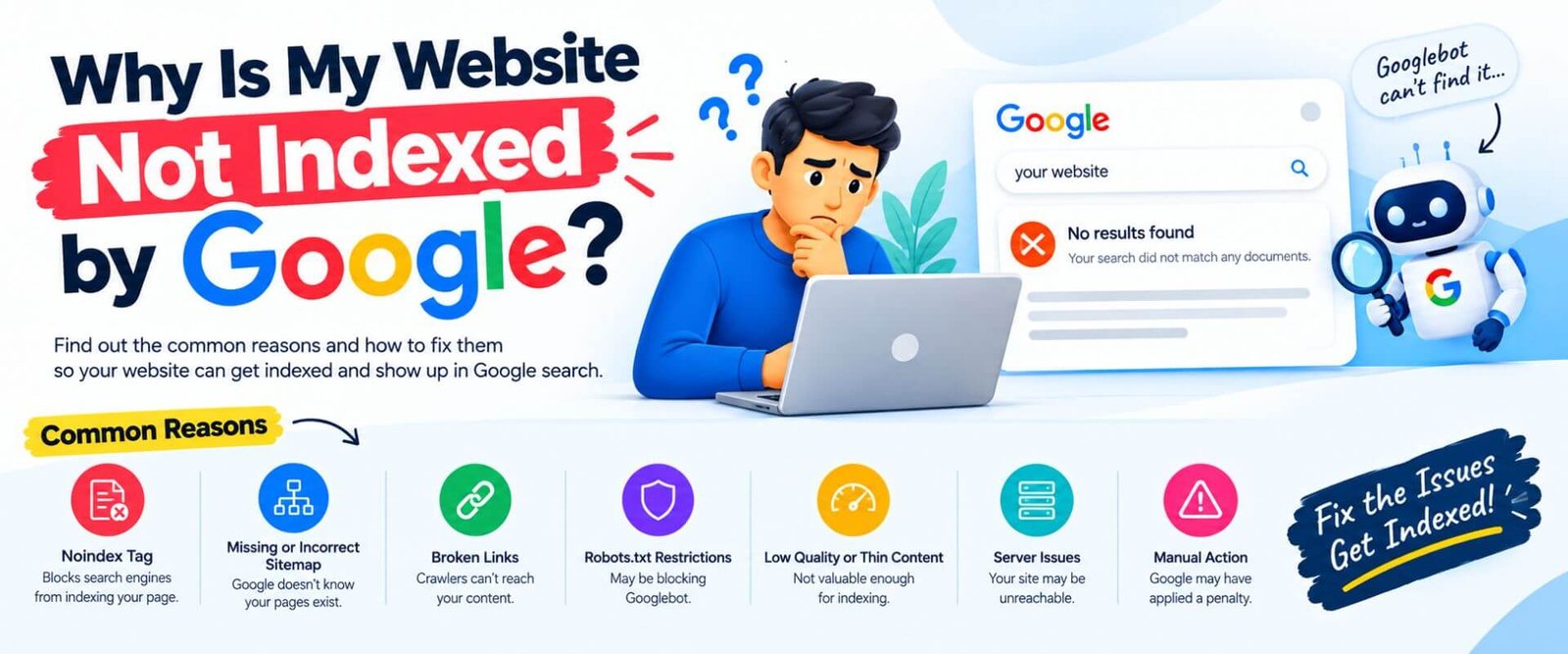
Google may not have discovered the URL yet, the page may be blocked from crawling, a noindex directive may be present, or Google may have identified the page as a duplicate or low-value URL.
Open Google Search Console and inspect the affected URL. Look carefully at the indexing status and the reason shown under the Pages report.
Do not immediately assume that a non-indexed page means your entire website has an SEO problem. Search engines do not necessarily index every URL they discover.
Instead, focus on fixing genuine technical issues and improving pages that are important for your users and business.
Google may not have discovered the URL yet, the page may be blocked from crawling, a noindex directive may be present, or Google may have identified the page as a duplicate or low-value URL.
Do not immediately assume that a non-indexed page means your entire website has an SEO problem. Search engines do not necessarily index every URL they discover.
Instead, focus on fixing genuine technical issues and improving pages that are important for your users and business.
Why Is My Website Not Indexed by Google?
If you followed the basic steps for how to index your website on Google but your page is still not indexed, there could be several reasons.
Google may not have discovered the URL yet, the page may be blocked from crawling, a noindex directive may be present, or Google may have identified the page as a duplicate or low-value URL.
Open Google Search Console and inspect the affected URL. Look carefully at the indexing status and the reason shown under the Pages report.
Do not immediately assume that a non-indexed page means your entire website has an SEO problem. Search engines do not necessarily index every URL they discover.
Instead, focus on fixing genuine technical issues and improving pages that are important for your users and business.
Google may not have discovered the URL yet, the page may be blocked from crawling, a noindex directive may be present, or Google may have identified the page as a duplicate or low-value URL.
Open Google Search Console and inspect the affected URL. Look carefully at the indexing status and the reason shown under the Pages report.
Do not immediately assume that a non-indexed page means your entire website has an SEO problem. Search engines do not necessarily index every URL they discover.
Instead, focus on fixing genuine technical issues and improving pages that are important for your users and business.
How to Check Whether Your Website Is Indexed on Google
One simple way to check how to index your website on Google is by searching for your domain or a specific URL in Google.
You can also use Google Search Console's URL Inspection tool for a much more useful diagnostic view.
For example, you can inspect:
https://www.kishordigital.com/about-us/
Search Console can then show whether Google knows about the URL and whether it is currently eligible for indexing.
For larger websites, Search Console's Pages report provides a broader view of indexed and non-indexed URLs and can help identify patterns.
You can also use Google Search Console's URL Inspection tool for a much more useful diagnostic view.
For example, you can inspect:
https://www.kishordigital.com/about-us/
Search Console can then show whether Google knows about the URL and whether it is currently eligible for indexing.
For larger websites, Search Console's Pages report provides a broader view of indexed and non-indexed URLs and can help identify patterns.
Common Mistakes That Prevent Website Indexing
Many website owners make simple mistakes when trying to get their pages indexed. Some of the most common include accidentally blocking Googlebot, leaving pages on noindex, failing to create an XML sitemap, and publishing pages without internal links.
Another mistake is expecting indexing to happen instantly after clicking "Request Indexing". That feature submits the URL for consideration; it is not an instant indexing button.
Publishing hundreds of low-quality pages is another approach that can create unnecessary problems. Instead of focusing only on the number of indexed URLs, concentrate on making your important pages useful, technically accessible, and connected through a logical site structure.
The goal should not simply be to get every URL indexed. The goal is to make sure the right pages are discoverable and eligible to appear in Google Search.
Another mistake is expecting indexing to happen instantly after clicking "Request Indexing". That feature submits the URL for consideration; it is not an instant indexing button.
Publishing hundreds of low-quality pages is another approach that can create unnecessary problems. Instead of focusing only on the number of indexed URLs, concentrate on making your important pages useful, technically accessible, and connected through a logical site structure.
The goal should not simply be to get every URL indexed. The goal is to make sure the right pages are discoverable and eligible to appear in Google Search.
How to Index Your Website on Google
Before requesting indexing, use this quick checklist:
Final Thoughts on How to Index Your Website on Google
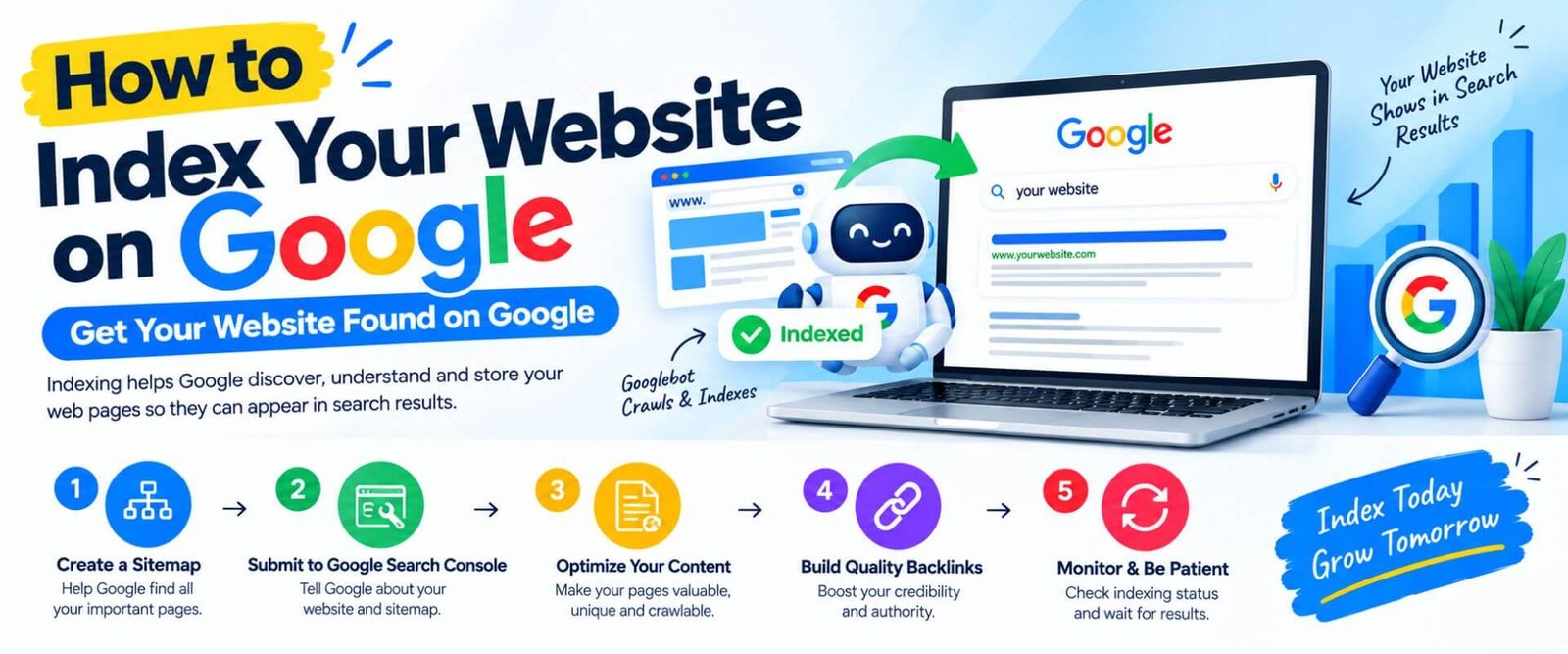
Learning how to index your website on Google is not just about submitting a URL and waiting. A properly indexable website needs a combination of technical accessibility, clear site architecture, XML sitemap configuration, internal links, useful content, and correct indexing directives.
For most websites, Google Search Console should be your starting point. It gives you practical information about how Google discovers and processes your pages and helps you investigate URLs that are not appearing in search.
If you are building a new website, focus first on making the important pages technically accessible and genuinely useful. Once the foundation is correct, use your sitemap and internal linking structure to help Google discover those pages naturally.
KishorDigital — Helping Businesses Build Stronger Digital Visibility Through SEO, Digital Marketing & Performance Marketing.
For most websites, Google Search Console should be your starting point. It gives you practical information about how Google discovers and processes your pages and helps you investigate URLs that are not appearing in search.
If you are building a new website, focus first on making the important pages technically accessible and genuinely useful. Once the foundation is correct, use your sitemap and internal linking structure to help Google discover those pages naturally.
KishorDigital — Helping Businesses Build Stronger Digital Visibility Through SEO, Digital Marketing & Performance Marketing.
Why Kishor Kishor Digital Academy
Have a project in mind or looking to grow your business online? Let’s talk! At KishorDigital, we help businesses build a stronger digital presence through SEO, Google Ads, Meta Ads, Social Media Marketing, Website Development, Performance Marketing and AI-powered digital marketing strategies.
Whether you need more leads, better online visibility or a complete digital marketing solution, our team is here to understand your goals and suggest the right approach for your business. Get in touch with KishorDigital today and let’s turn your digital goals into measurable results.
Whether you need more leads, better online visibility or a complete digital marketing solution, our team is here to understand your goals and suggest the right approach for your business. Get in touch with KishorDigital today and let’s turn your digital goals into measurable results.
lets get in touch
Frequently Asked Questions
The practical approach is to verify your website in Google Search Console, submit your XML sitemap, make sure important pages are crawlable and indexable, add internal links, and use URL Inspection to request indexing for important new URLs. However, Google does not guarantee a specific indexing time.
You can use Google Search Console's URL Inspection tool to check an individual URL. Google Search can also provide a basic indication, but Search Console gives more useful information about the URL's indexing status.
No. A sitemap helps Google discover URLs, but submitting a sitemap does not guarantee that every URL will be indexed. Google decides which URLs to index based on several technical and content-related signals.
A new website may not appear immediately because Google has not discovered or crawled it yet. Other possible reasons include noindex directives, robots.txt restrictions, technical errors, weak internal linking, duplicate content, or other indexing issues.
You normally do not need to manually resubmit the sitemap every time you publish a new page. If your sitemap is automatically updated, Google can revisit it and discover new URLs over time.
There is no guaranteed way to force Google to index a website. You can use Google Search Console to request indexing for individual URLs, but Google ultimately decides whether and when a page is indexed.
Robots.txt can affect whether Googlebot can crawl certain URLs. An incorrectly configured robots.txt file can prevent Google from accessing important pages, so it should be checked carefully.
Yes. Internal links create pathways between pages and can help search engine crawlers discover and understand related content. Important pages should ideally be linked from relevant pages within your website.