


What Are Core Web Vitals and Why Do They Matter for SEO?
Core Web Vitals are Google's performance metrics that measure how users experience a website in terms of loading speed, responsiveness, and visual stability. These metrics help website owners understand whether visitors can access content quickly, interact with pages smoothly, and browse without unexpected layout changes.
If your website takes too long to load, buttons do not respond quickly, or images and text suddenly move while someone is reading, visitors may leave without taking action. This can affect user satisfaction, engagement, and business conversions.
Understanding Core Web Vitals is an important part of technical SEO because website performance and user experience are essential considerations for modern search optimization.
In this guide, you will learn what Core Web Vitals are, how LCP, INP, and CLS work, how Google evaluates these metrics, and how to improve your website performance using practical optimization techniques.
What Are Core Web Vitals?
Why Do Core Web Vitals Matter for SEO?
When visitors open a website, they expect its main content to load quickly, navigation to work properly, and page elements to remain stable.
Google uses many ranking systems and signals to understand content relevance, quality, usefulness, and page experience. Good performance should support your SEO strategy rather than replace quality content, search intent optimization, and relevant backlinks.
For website owners, the goal should be to build pages that are useful, technically healthy, and comfortable to use.
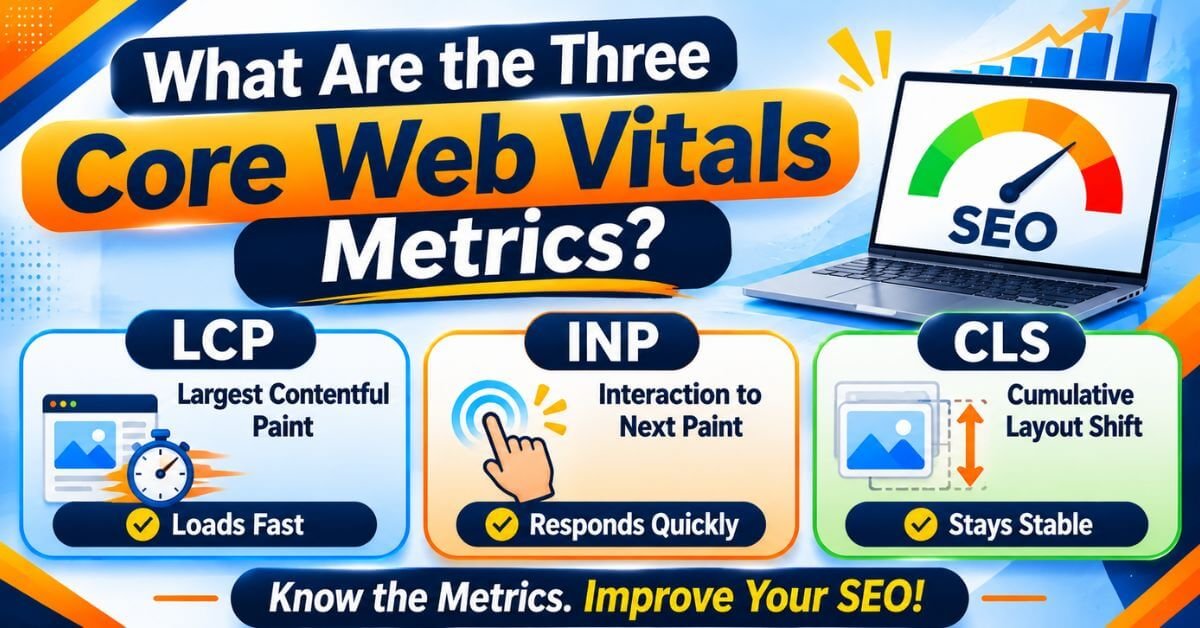
What Are the Three Core Web Vitals Metrics?
A. Largest Contentful Paint (LCP)
The visitor may feel that the page is slow because the most important visible content has not appeared yet.
B. Interaction to Next Paint (INP)
This is a responsiveness problem.
INP performance targets:
C. Cumulative Layout Shift (CLS)
Imagine opening a blog article and starting to read its first paragraph. Suddenly, an advertisement or image loads above the paragraph and pushes the content downward.
You lose your reading position.
This is an example of a layout shift.
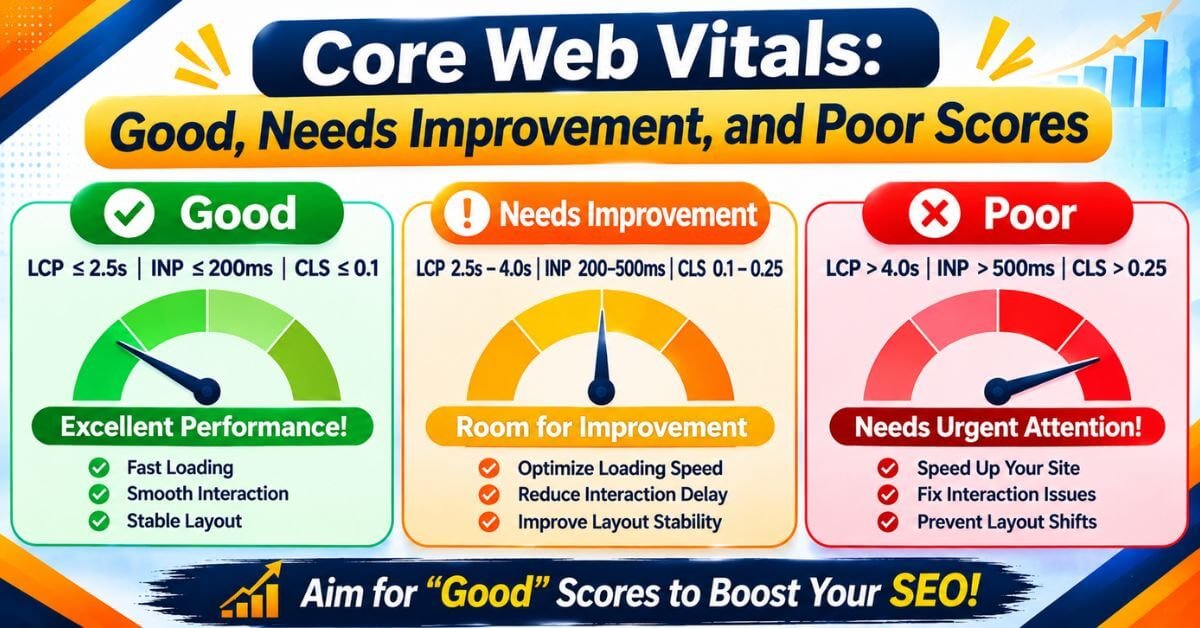
Core Web Vitals: Good, Needs Improvement, and Poor Scores
The following table shows the official performance thresholds.
This means Google considers the experience of the majority of visitors rather than relying only on a single speed test.
For a good Core Web Vitals assessment, all three metrics should meet their respective good thresholds.
How to Check Core Web Vitals in Google Search Console
Step 1: Open Google Search Console and select your website property.
Step 2: Find the Experience section in the left-hand navigation.
Step 3: Open the Core Web Vitals report.
Step 4: Review the Mobile and Desktop reports separately.
Step 5: Check URLs classified as Poor or Needs Improvement.
Step 6: Open an issue to understand which performance metric needs attention.
Step 7: Investigate the affected URLs and implement the necessary technical improvements.
Remember that the Search Console report is based on real-world user data from the Chrome User Experience Report (CrUX). It may not include every URL, especially pages without sufficient user data.
How to Test Core Web Vitals Using PageSpeed Insights
It provides both real-world performance information, when available, and laboratory test results.
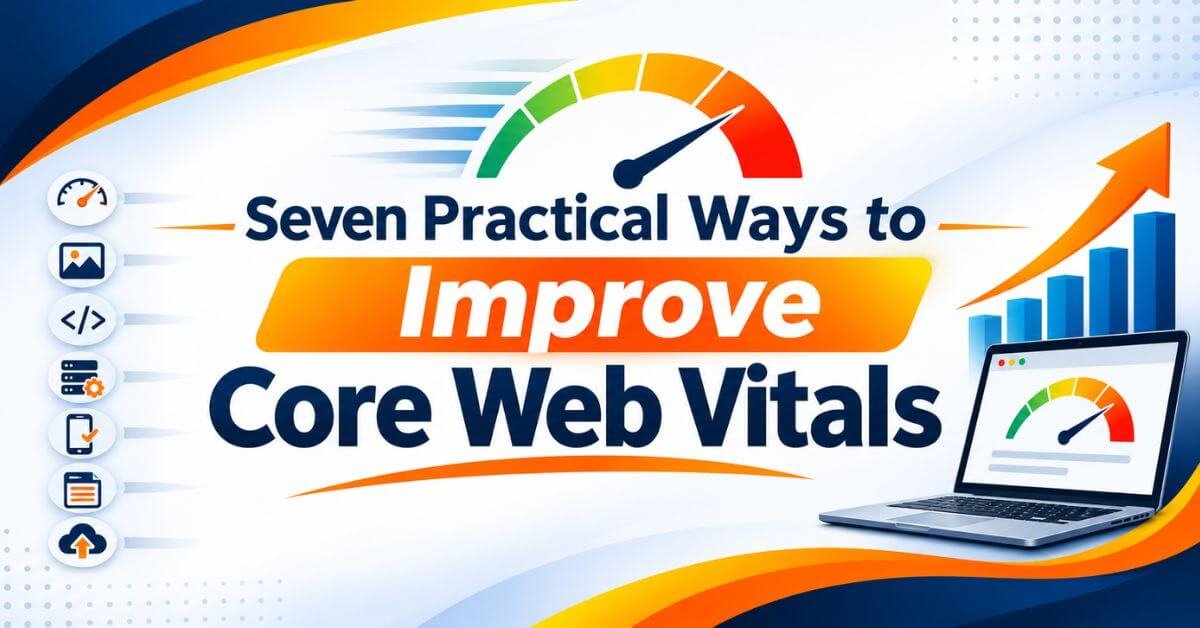
Seven Practical Ways to Improve Core Web Vitals
Here are seven practical steps.
1. Optimize Website Images
Compress images before uploading them. Use suitable dimensions and modern formats such as WebP or AVIF.
Avoid uploading a 3000-pixel image when your website only needs a much smaller version.
2. Choose Reliable Web Hosting
Choose hosting with reliable server performance, suitable resources, and good support.
If your website receives significant traffic, consider whether your current hosting plan can handle it efficiently.
3. Use Browser Caching
Configure appropriate cache policies for static files such as images, CSS, and JavaScript.
This can reduce repeated downloads and improve loading performance.
4. Minify CSS and JavaScript
Minification reduces the size of CSS and JavaScript files.
However, test your website after enabling optimization because combining or delaying scripts can sometimes break menus, forms, or other functionality.
5. Reduce Unnecessary WordPress Plugins
Review your installed plugins regularly.
Deactivate and remove plugins that are no longer required. Always check whether a plugin is responsible for a performance problem before replacing it.
6. Use a Content Delivery Network (CDN)
When visitors access your website, resources can be delivered from a location closer to them.
This can help reduce delivery time, especially for websites serving visitors across multiple regions.
7.Optimize Mobile Website Performance
Check your website on different screen sizes.
Make sure images fit the screen, buttons are easy to tap, navigation works smoothly, and content does not shift unexpectedly.
Test your important landing pages and contact forms on actual mobile devices.
8.Common Core Web Vitals Problems in WordPress Websites
Heavy Page Builders: Excessive widgets, animations, and design elements can increase page weight.
Large Featured Images: Uncompressed blog images can increase LCP.
Too Many Plugins: Unnecessary plugins can load additional scripts and styles.
Poor Font Loading: Web fonts may cause text to shift while loading.
Unoptimized Popups: Large popups and third-party scripts can affect responsiveness.
Poor Hosting Performance: Slow server response can delay the loading process.
If you use WordPress with Elementor, PageLayer, or another page builder, review the actual page output and identify unnecessary elements before making changes.
Do not install multiple performance plugins without understanding what each one does. Some optimization features overlap and may create compatibility problems.
9Core Web Vitals and Google Ranking: What Should Website Owners Know?
A technically fast website with poor content may still struggle to rank for competitive keywords.
Similarly, a useful and relevant article should not be ignored simply because its performance score is not perfect.
When technical performance supports useful content, visitors can access information more comfortably and complete important actions more easily.
Conclusion
Core Web Vitals are an important part of modern Technical SEO because they help website owners understand how visitors experience their websites.
By improving LCP, INP, and CLS, you can make your website faster, more responsive, and visually stable.
Start by checking your website through Google Search Console and PageSpeed Insights. Identify the biggest performance issues, fix them one by one, and continue monitoring the results.
Remember, successful SEO is not only about getting visitors from Google. It is also about providing a useful website experience that encourages visitors to stay, explore, and take action.
At KishorDigital Academy, we believe that practical knowledge and real-world implementation are essential for understanding modern SEO and website optimization.
Learn Digital Marketing, Technical SEO, and AI-Powered Marketing with practical, industry-focused training at KishorDigital Academy.
Whether you need more leads, better online visibility or a complete digital marketing solution, our team is here to understand your goals and suggest the right approach for your business. Get in touch with KishorDigital today and let’s turn your digital goals into measurable results.